

Screens are everywhere. From smartphones to laptops and tablets, we use digital devices for work, school and entertainment. If you’ve noticed that your glasses prescription keeps creeping up, you might wonder whether long hours of screen time are quietly changing your vision.
Recent research shows that prolonged near‑focus activities — including reading, writing and staring at digital screens — can contribute to eye strain and, in some cases, increase the risk of nearsightedness (myopia). Understanding why this happens and how to protect your eyes is essential for anyone trying to balance digital life and eye health.
This guide explains how screen time affects your prescription, summarizes what medical research says about digital eye strain and myopia, and offers simple strategies to keep your eyes comfortable. All information comes from reputable sources like the American Academy of Ophthalmology (AAO), the Cleveland Clinic, and peer‑reviewed studies.
What Happens to Your Eyes During Screen Use?
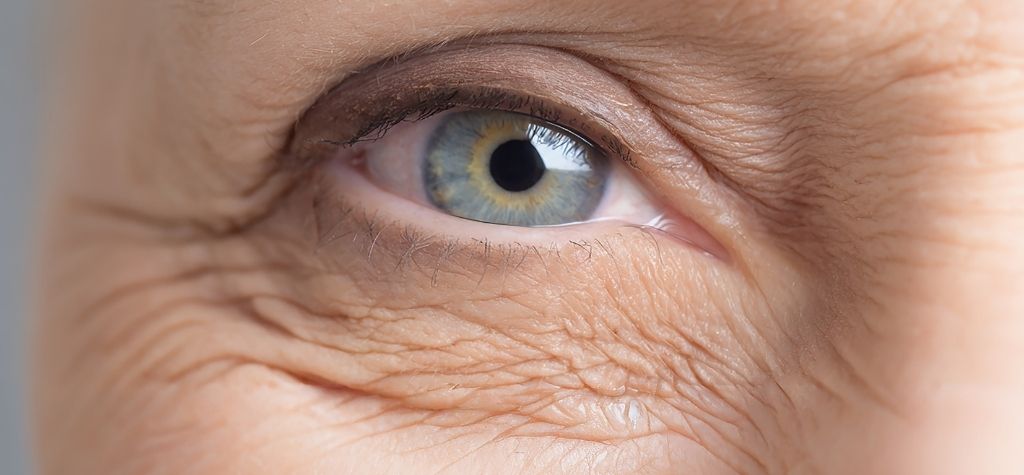
Using a device isn’t inherently harmful. The AAO notes that staring at a screen won’t permanently damage your eyes. However, long stretches of near‑focus work do make your eyes work harder. When you concentrate on a screen, your blinking decreases from about 15 blinks per minute to only 5–7 blinks per minute. Blinking keeps the surface of the eye moist, so blinking less often leads to dryness and irritation.
Extended screen sessions also make your focusing muscles work continuously. Unlike reading printed text, screens emit light and have lower contrast, so your eyes must refocus rapidly. Over time, this effort can cause digital eye strain — a cluster of symptoms including dry eyes, blurry vision, headaches and neck or shoulder pain. Fortunately, the discomfort is usually temporary, but if left unmanaged it can contribute to other visual problems.
The Mechanics of Digital Eye Strain
Digital eye strain (often called computer vision syndrome) is not a single disease but a catch‑all term for the discomfort associated with prolonged device use. According to the Cleveland Clinic, common symptoms include blurred vision, burning or itchy eyes, headaches and musculoskeletal pain. Several factors contribute to these symptoms:
- Reduced blinking dries out the tear film, causing irritation.
- Low contrast and pixelated text require constant refocusing.
- Screen glare and brightness force the eyes to work harder.
- Poor ergonomics — such as sitting too close or at an awkward angle — strain the neck and shoulders.
Two hours of continuous screen use is enough to trigger these symptoms. During pandemic lockdowns, many people reported more than 10 hours of digital device use per day, leading to a surge in digital eye strain.
Myopia and Screen Time
Myopia, or nearsightedness, occurs when the eyeball elongates so that light focuses in front of the retina. Genetics play a strong role, but environmental factors like near work and limited outdoor time also contribute. The AAO notes that the number of people developing myopia in the United States has nearly doubled since 1971, and in parts of Asia up to 90 % of teenagers and adults are nearsighted. Evidence suggests that “close work” — whether reading printed books or scrolling on a phone — is part of the cause.
A 2025 systematic review and dose‑response meta‑analysis published in JAMA Network Open examined 45 studies involving over 335,000 participants. Researchers found that each additional hour of daily screen time increased the odds of myopia by 21 %. The nonlinear analysis indicated that risk rose sharply between 1 and 4 hours per day and then plateaued, suggesting a safety threshold of less than one hour of screen exposure per day. In practical terms, this means children who spend several hours on devices are more likely to develop nearsightedness than those with less screen time.
Pandemic Effects
During COVID‑19 restrictions, online learning and remote work skyrocketed. A comprehensive review on digital eye strain reported that digital device use increased to an average of 10–14 hours per day, and the prevalence of digital eye strain symptoms in children climbed to 50–60 %. Prolonged screen exposure, reduced outdoor time and lack of breaks accelerated both eye strain and myopia progression. The same review recommends limiting total daily screen time to four hours or less, taking frequent breaks, using blue‑light filtering glasses or screen filters if helpful, and spending more time outdoors.
Why Screen Time Affects Your Prescription

You might wonder how dry eyes and blurry vision from screen use translate into a higher prescription. Here’s what’s happening:
- Accommodation stress. When you look at a near object, muscles inside your eye contract to change the lens shape and bring the image into focus. Prolonged near work keeps these muscles engaged. Over time, the constant contraction can make it harder for your eyes to relax when you look at distant objects, leading to transient blurriness or changes in focusing ability.
- Axial elongation. Children’s eyes are still developing. Too much near work may signal the eye to grow longer, contributing to myopia progression. This process isn’t fully understood, but research links extended screen time and reading with eyeball elongation. The meta‑analysis described above quantifies this risk, showing that more screen time equals greater odds of myopia.
- Dryness and inflammation. Reduced blinking and poor lubrication can inflame the ocular surface. Over time, chronic dry eyes may affect how clearly you see, making it seem like your prescription has changed.
- Posture and muscle strain. Neck, shoulder and back discomfort can indirectly affect vision. When you slouch or hold a device too close, your eyes must adjust to maintain focus. This strain can contribute to headaches and blurred vision.
Screen Time Recommendations by Age
Guidelines vary by age, but health organizations agree on one principle: less is better, especially for young children. According to the AAO, the World Health Organization’s 2019 guidelines recommend no screen time at all for children under age 1 and very limited screen time for children under age 5. The American Academy of Pediatrics (AAP) suggests no digital media (except video‑chatting) for children younger than 18 to 24 months and focusing on educational media when screens are introduced.
The AAO does not provide specific screen‑time limits for older children but emphasizes the importance of balancing digital use with outdoor activities. Spending time outdoors — ideally at least two hours per day — has been shown to slow myopia progression. For adults, limiting continuous screen sessions to two hours or less and taking breaks every 20 minutes can help prevent digital eye strain.
The 20‑20‑20 Rule
One of the simplest and most effective strategies to combat digital eye strain is the 20‑20‑20 rule. The principle is easy:
Every 20 minutes, look at something 20 feet away for at least 20 seconds.
This brief pause relaxes the focusing muscles, helps your eyes reset and reminds you to blink. Setting a timer or using built‑in screen time reminders can make it easier to maintain this habit.
How to Protect Your Eyes During Screen Time
Protecting your vision isn’t about giving up technology. It’s about making conscious choices to reduce strain. Below are science‑backed tips drawn from ophthalmology experts and research.
Blink and Lubricate
- Blink intentionally. Because your blink rate drops when you focus on a screen, remind yourself to blink often. Place a sticky note on your monitor as a cue.
- Use artificial tears. Over‑the‑counter lubricating drops can relieve dryness. Choose preservative‑free drops if you need them frequently. If you wear contact lenses, consider switching to glasses for prolonged device use.
- Humidify the air. A humidifier or moving away from air vents can reduce evaporation from your eyes.
Adjust Your Environment
- Screen position: Sit about 25 inches (arm’s length) from the screen, with the top of the monitor at or slightly below eye level. This position keeps your neck neutral and reduces strain.
- Brightness and contrast: Match screen brightness to the ambient light and increase contrast to make text easier to read.
- Reduce glare: Use matte screen filters or position your device away from windows and overhead lights.
- Ergonomic workspace: Ensure your chair, desk and monitor height promote good posture. Neck and shoulder strain often masquerade as eye strain.
Take Regular Breaks
- Follow the 20‑20‑20 rule.
- Move around: Stand up, stretch and refocus your eyes every 30 minutes. Even a quick walk across the room gives your eyes and body a rest.
- Monitor screen time: Use built‑in device tools or apps to track how long you’ve been on a screen. Many smartphones and computers now have “screen time” metrics that can help you set limits.
Use Proper Eyewear
- Computer glasses: Special lenses can focus at intermediate distances (20–26 inches) and reduce strain when you spend long hours at a computer. These glasses may include multifocal lenses to help shift focus between near and far objects.
- Blue‑light filtering glasses: While blue‑light filters may improve comfort for some people, the AAO notes there is no scientific evidence that blue light from screens damages eyes. Blue‑light glasses are not required for everyone.
- Prescription updates: Get regular eye exams. Uncorrected or outdated prescriptions can worsen eye strain and headaches. If you frequently switch between close and distant tasks, consider progressive or bifocal lenses that cater to multiple distances.
Get Outside
Spending time outdoors has protective effects on eye development. Natural light stimulates dopamine release in the retina, which may slow eye elongation. Encourage children to play outside for at least two hours each day and take your own work breaks outside when possible. It’s not just your eyes that benefit — sunlight improves mood and helps regulate sleep cycles.
Common Myths and Misconceptions

Myth 1: Screen Use Permanently Damages Your Eyes
Fact: Staring at a screen won’t cause permanent damage or blindness. However, it can lead to temporary discomfort and may contribute to myopia progression when combined with long hours of near work. The key is moderation and taking breaks.
Myth 2: Blue Light Is Dangerous
Fact: Blue light does not harm the eyes. The AAO states there is no evidence that light from computer or phone screens damages the eyes. Blue‑light glasses may reduce glare or help with sleep by filtering out wavelengths that affect circadian rhythms, but they are not essential for eye safety.
Myth 3: Reading a Book Is Always Better Than Using a Tablet
Fact: Both printed books and digital screens require focusing at close range. Research shows that near work in general — not just screens — contributes to myopia. The difference lies in how you manage breaks, lighting and posture. Digital screens may add glare and lower contrast, but similar precautions should be taken with any close task.
When to See an Eye Doctor
If you experience persistent symptoms despite taking breaks and adjusting your environment, schedule an eye exam. Warning signs include:
- Constant headaches or eye pain that doesn’t improve with rest.
- Blurred or double vision after short periods of screen use.
- Trouble seeing clearly at distance or needing to move objects farther away to focus.
- Increasing nearsightedness in children, especially if they spend several hours on devices.
- Red, irritated eyes that remain uncomfortable even after using lubricating drops.
Regular comprehensive eye exams are essential, especially for children whose eyes are still developing. Early detection can slow myopia progression through interventions like specialized contact lenses, low‑dose atropine drops or orthokeratology. An eye care professional can also recommend appropriate computer glasses or other corrections tailored to your needs.
Small Changes Make a Big Difference
Cutting back on screen time isn’t always practical — devices are essential tools for learning, working and connecting. But small adjustments can dramatically improve comfort and protect your vision:
- Implement the 20‑20‑20 rule and set reminders to take breaks.
- Encourage outdoor play and limit recreational screen use for children. Use screen time as a reward rather than a default pastime.
- Create a comfortable workstation with proper lighting and ergonomics.
- Stay up to date with eye exams, and ask about options like computer glasses or myopia control treatments.
Your eyes are resilient, but they need care. By understanding how screen time affects your prescription and adopting healthy habits, you can enjoy digital life without sacrificing vision. Remember: a few conscious blinks and a break every 20 minutes go a long way toward keeping your eyes happy.
